
ACORD™ 127 & 129
Commercial Auto
ACORD™ 127 outlines auto details like vehicles and drivers, while ACORD™ 129 lists the full vehicle schedule. Together, they complete your commercial auto submission.
A fully completed application is required.
Page 1 | Page 2 | Page 3 | Page 4 | 129 Page 1
PAGE 1
Form Key
1. Business Auto Section
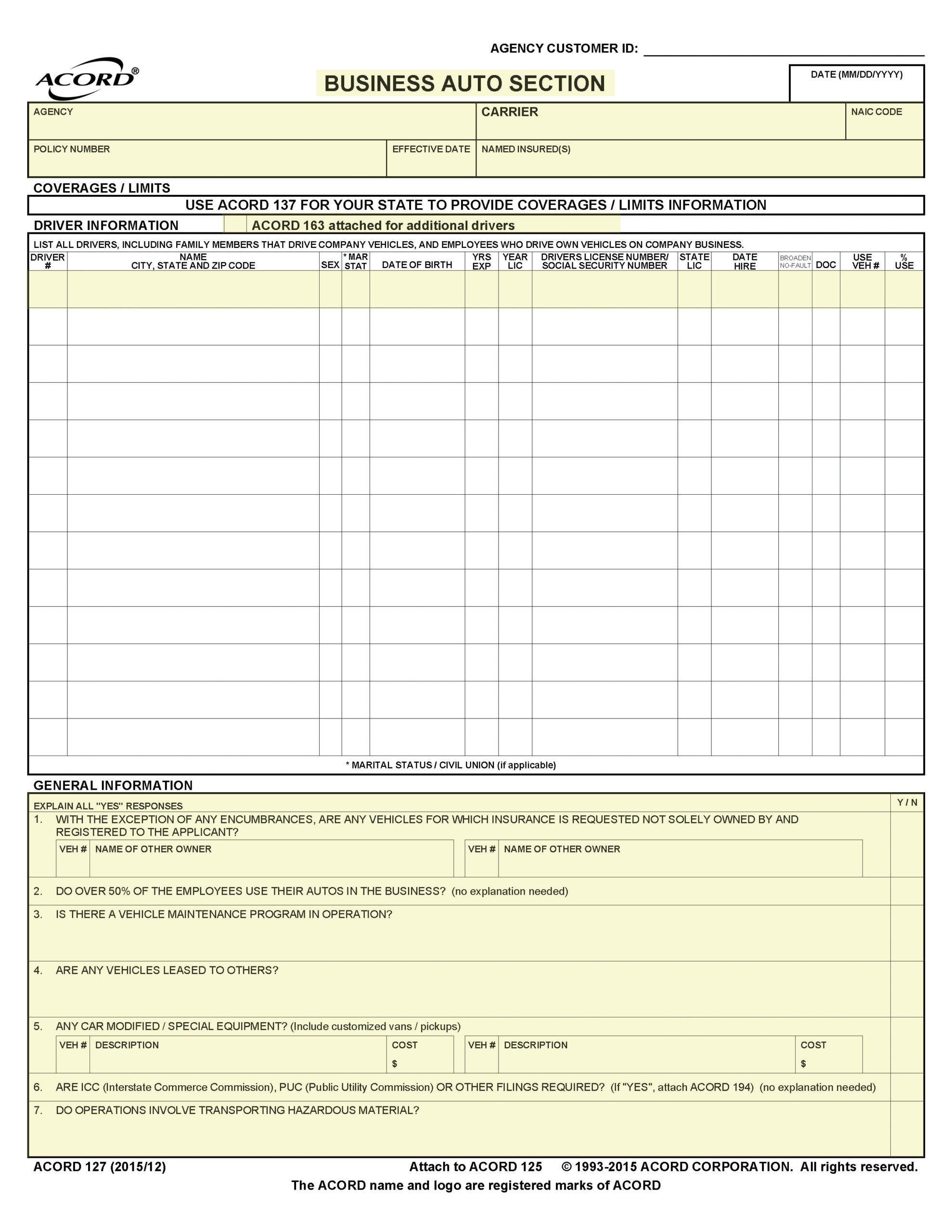
Business Auto Section, of the ACORD Commercial Insurance Application series, contains basic policy information as well as essential underwriting information for commercial auto accounts. Through the effective use of the Business Auto Section, specific needs of an individual account can be addressed. Space is provided to enter driver information for up to thirteen drivers. For additional drivers, ACORD 163, Driver Information Schedule, can be attached. Space is also provided to enter descriptions of up to four vehicles. If the fleet should exceed this number, ACORD 129, Vehicle Schedule, which contains space for 5 additional vehicles, can be attached.
2. Agency, Carrier, Policy Number, Effective Date and Named Insured(s)
Enter Agency Name, Carrier Name, Policy Number, Effective Date and Name of Insured(s).
3. ACORD 163 Attached
Check the box (if applicable): Indicates that additional drivers appear on the attached ACORD 163 Commercial Auto Driver Information Schedule.
4. Driver Information
For each driver, provide their name; gender; marital status – enter code: Examples are: S – Single; M – Married; D – Divorced; P – Separated; W – Widowed, C – Domestic Partner (unmarried), V – Civil Union / Registered Domestic Partner, F- Fiancé / Fiancée, U – Unknown, O – Other; date of birth; years of driving experience; year licensed; driver’s license number; state licensed; vehicle # used and % of use.
5. General Information
Answer all General Information questions. For any “yes” responses provide an explanation. If additional space is required, use the Remarks section on Page 2.
PAGE 2
Form Key
1. General Information
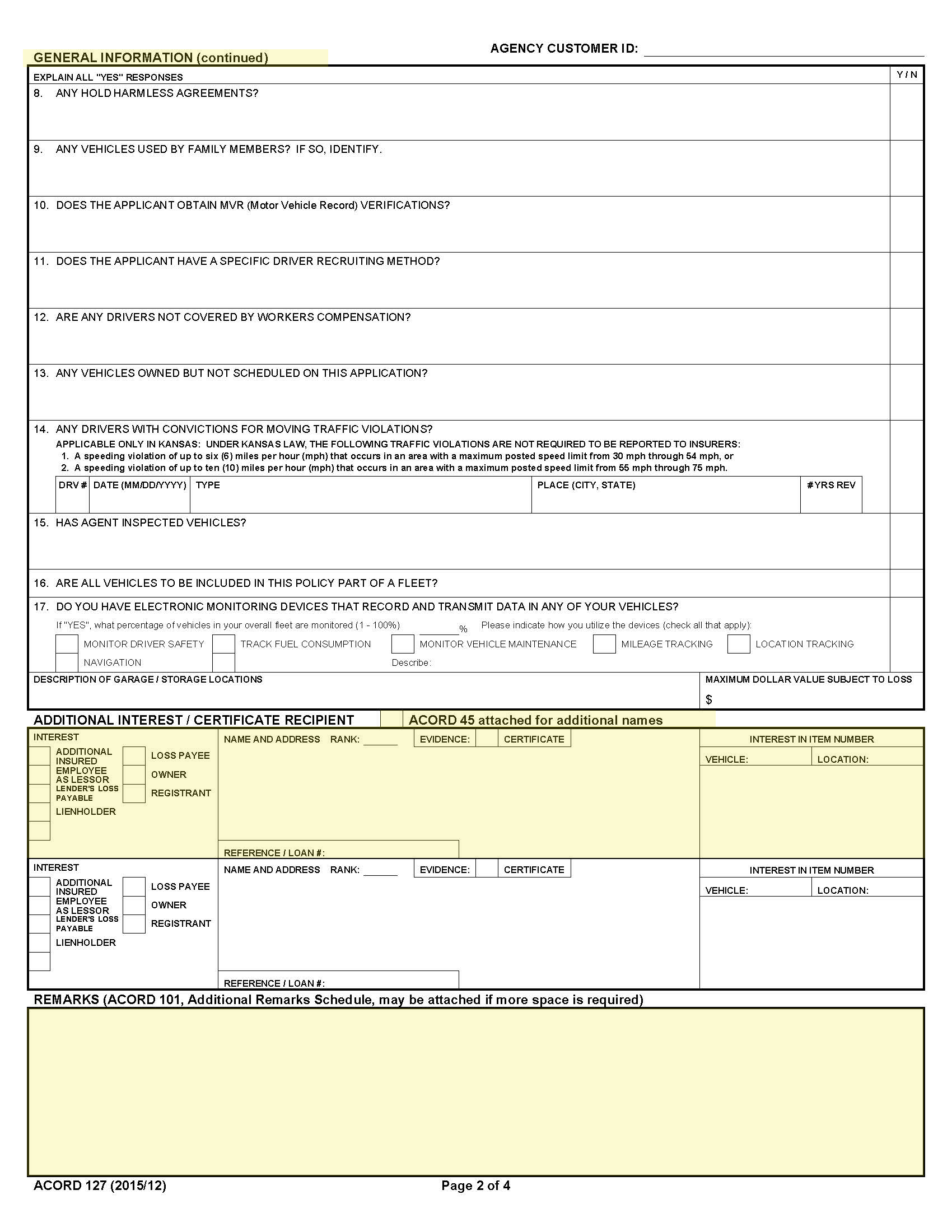
Answer all General Information questions. For any “yes” responses provide an explanation. If additional space is required, use the Remarks section.
2. Acord 45 Attached
Check the box if applicable. Indicates that further additional interests appear on the attached ACORD 45.
3. Additional Interest/Certificate Recipient
Check the box for the applicable type of additional interest. Provide the name and address of the additional interest. Check the box if the additional interest requires a Certificate of Insurance. Indicate the vehicle number or location number for which the additional interest applies.
4. Remarks
Enter any additional Remarks applicable to the questions above. Also enter endorsements that apply. Be sure to include the form numbers and the required information for attaching the endorsement. ACORD 101, Additional Remarks Schedule, may be attached if more space is required.
PAGE 3
Form Key
1. ACORD 129 attached.
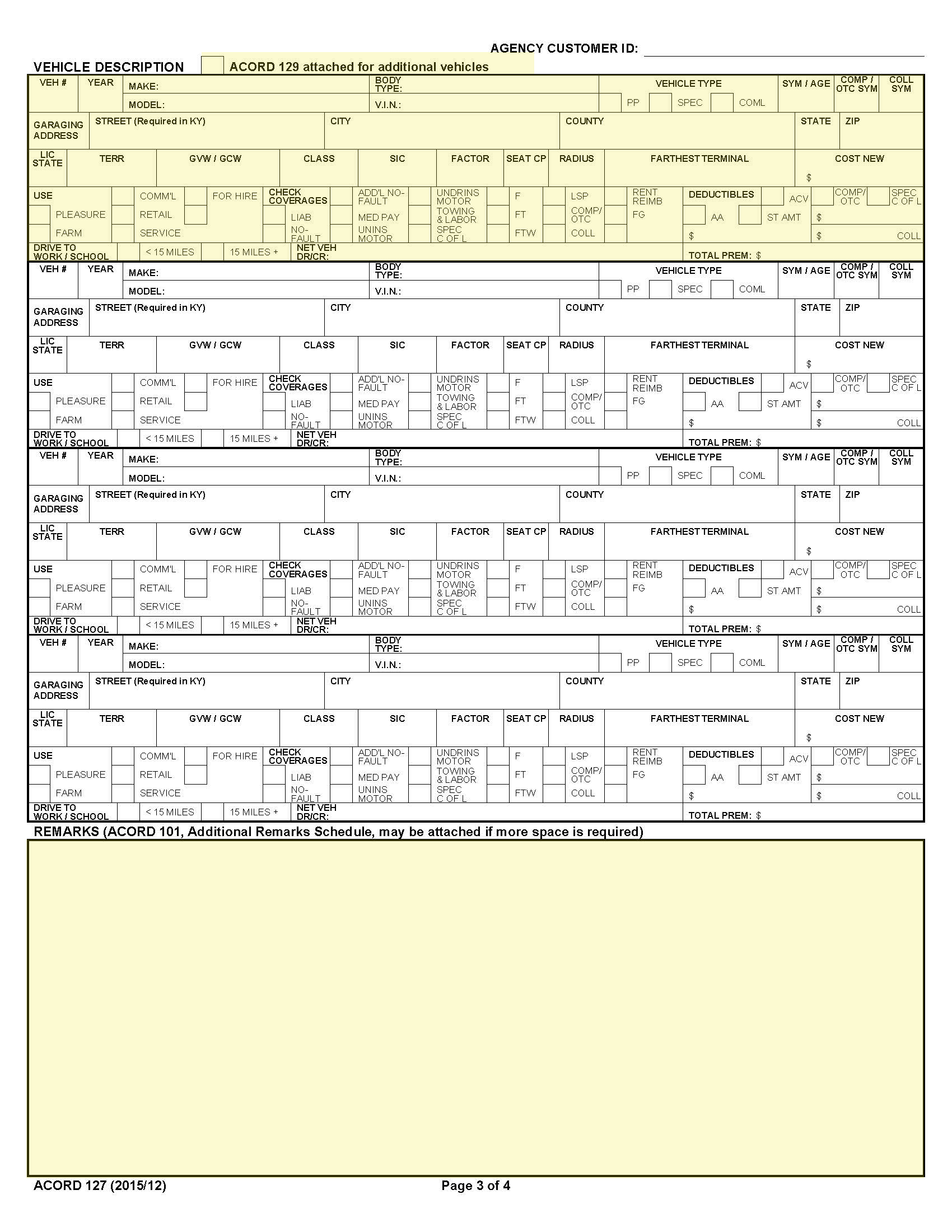
Check the box (if applicable): Indicates that additional vehicles appear on the attached ACORD 129.
2. Vehicle Description
For each vehicle provide the following information:
| Veh # | Enter number: The producer assigned vehicle number. |
| Year | Enter the model year of the vehicle. |
| Make | Enter the manufacturer of the vehicle. |
| Model | Enter the manufacturer’s model name for the vehicle. |
| Body Type | Enter the body type for the vehicle. |
| V.I.N. | Enter the vehicle identification number or serial number assigned by the manufacturer. |
| Check Box – PP, SPEC, COML | Check the box for the predominant type of the vehicle – PP = Private Passenger, SPEC = special such as classic or antique, COML = commercial. |
| Garaging Location | Enter the location the vehicle is garaged overnight. |
| Lic. State | enter state in which the vehicle is registered. |
| Territory | Enter the rating territory for where the vehicle is principally garaged. |
| GVW/GCW | Eneter the actual weight of the vehicle or the combined weight of tractor and trailer in pounds. |
| Class | Enter the rating class for the vehicle. |
| Radius | Enter the radius of operation of the vehicle in miles. |
| Cost New | Enter the original cost new of the vehicle. |
| Use | Check the box that represents the primary use of the vehicle. |
| Check Coverages | Check the boxes for the coverages desired for the vehicle. |
| Deductibles | Enter the deductibles applicable to the vehicle. |
3. Remarks
Enter any additional remarks associated with the commercial vehicle application for coverage.
PAGE 4
Form Key
1. Signature/Date
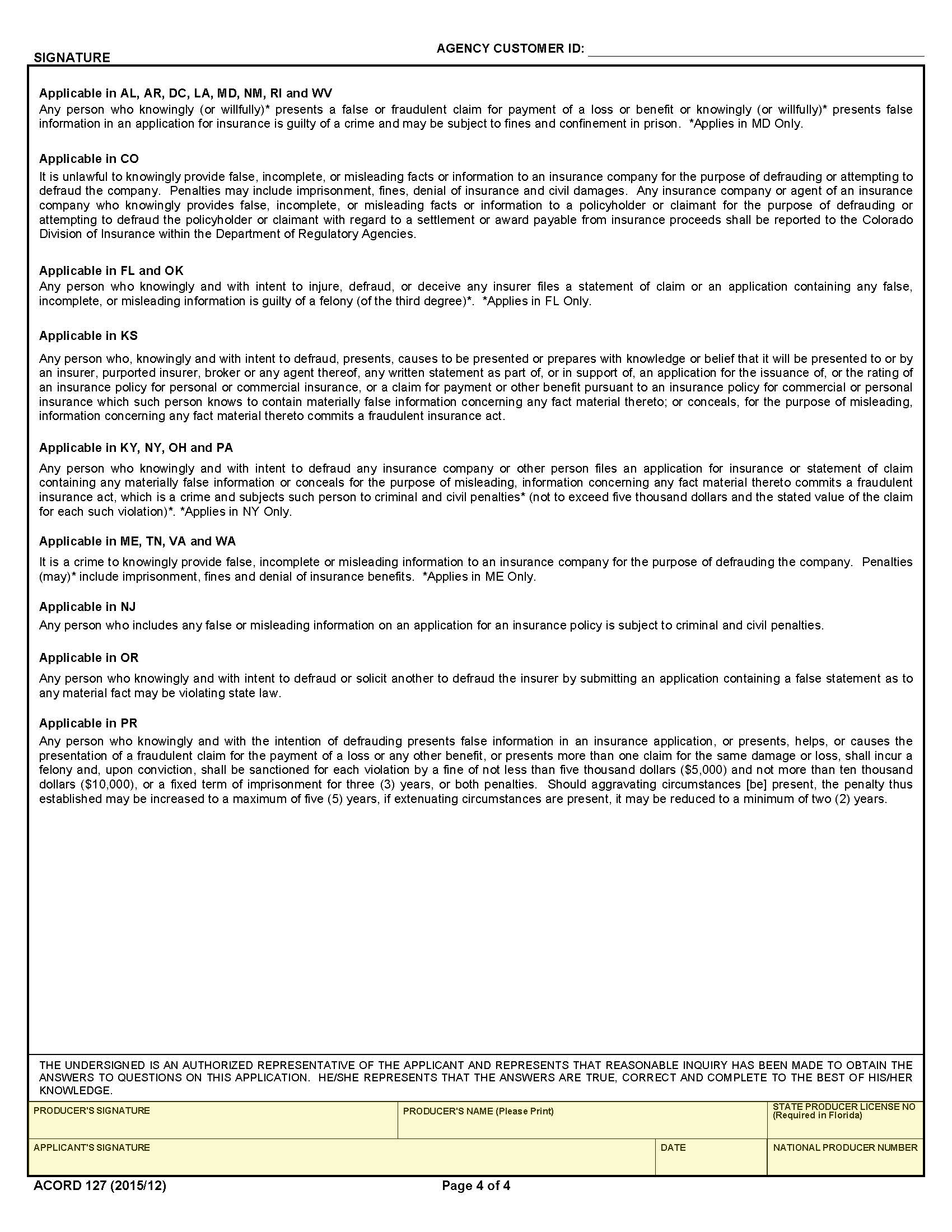
Producer and applicant signatures are required along with the producer name. state licensed and date.
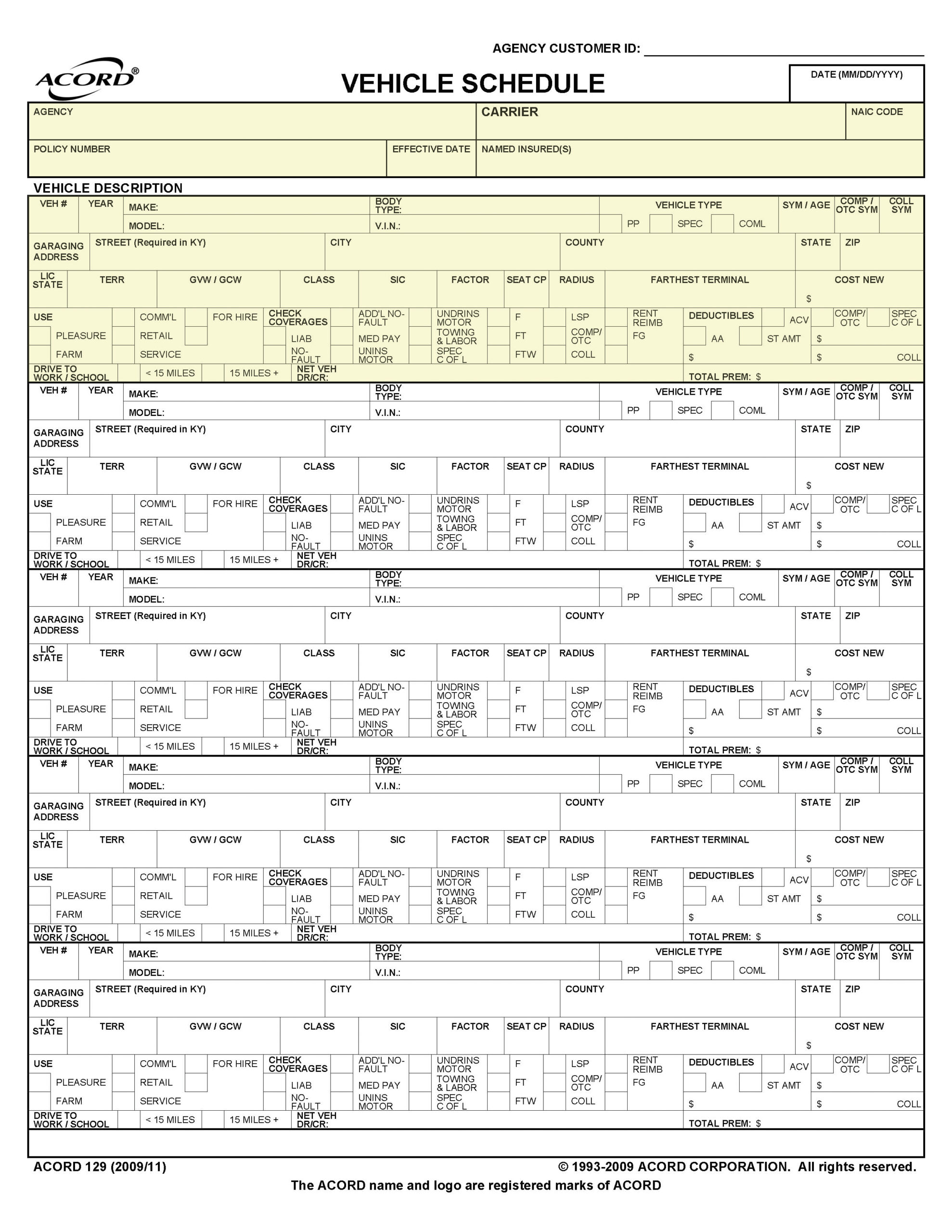
129 – PAGE 1
Form Key
1. Vehicle Schedule
The ACORD 129 Vehicle Schedule is used in conjunction with ACORD 127 to provide information on additional vehicles not included on the ACORD 127.
2. Agency, Carrier, Policy Number, Effective Date and Named Insured(s)
Enter Agency Name, Carrier Name, Policy Number, Effective Date and Name of Insured(s).
3. Vehicle Description
For each vehicle provide the following information:
| Veh # | Enter number: The producer assigned vehicle number. |
| Year | Enter the model year of the vehicle. |
| Make | Enter the manufacturer of the vehicle. |
| Model | Enter the manufacturer’s model name for the vehicle. |
| Body Type | Enter the body type for the vehicle. |
| V.I.N. | Enter the vehicle identification number or serial number assigned by the manufacturer. |
| Check Box – PP, SPEC, COML | Check the box for the predominant type of the vehicle – PP = Private Passenger, SPEC = special such as classic or antique, COML = commercial. |
| Garaging Location | Enter the location the vehicle is garaged overnight. |
| Lic. State | enter state in which the vehicle is registered. |
| Territory | Enter the rating territory for where the vehicle is principally garaged. |
| GVW/GCW | Eneter the actual weight of the vehicle or the combined weight of tractor and trailer in pounds. |
| Class | Enter the rating class for the vehicle. |
| Radius | Enter the radius of operation of the vehicle in miles. |
| Cost New | Enter the original cost new of the vehicle. |
| Use | Check the box that represents the primary use of the vehicle. |
| Check Coverages | Check the boxes for the coverages desired for the vehicle. |
| Deductibles | Enter the deductibles applicable to the vehicle. |